●  Tact 0.1 · Free for macOS, Windows & Linux

Plan less. Do what matters today.

A calm planner for your desktop. One short list for today, a focus timer, real breaks. No account, no cloud, no subscription.

Version 0.1.0
Tact Today view with tasks grouped by intention and a timeline of the day

Built around one day at a time.

Every screen below is the real app. Scroll through the parts you will use every day.

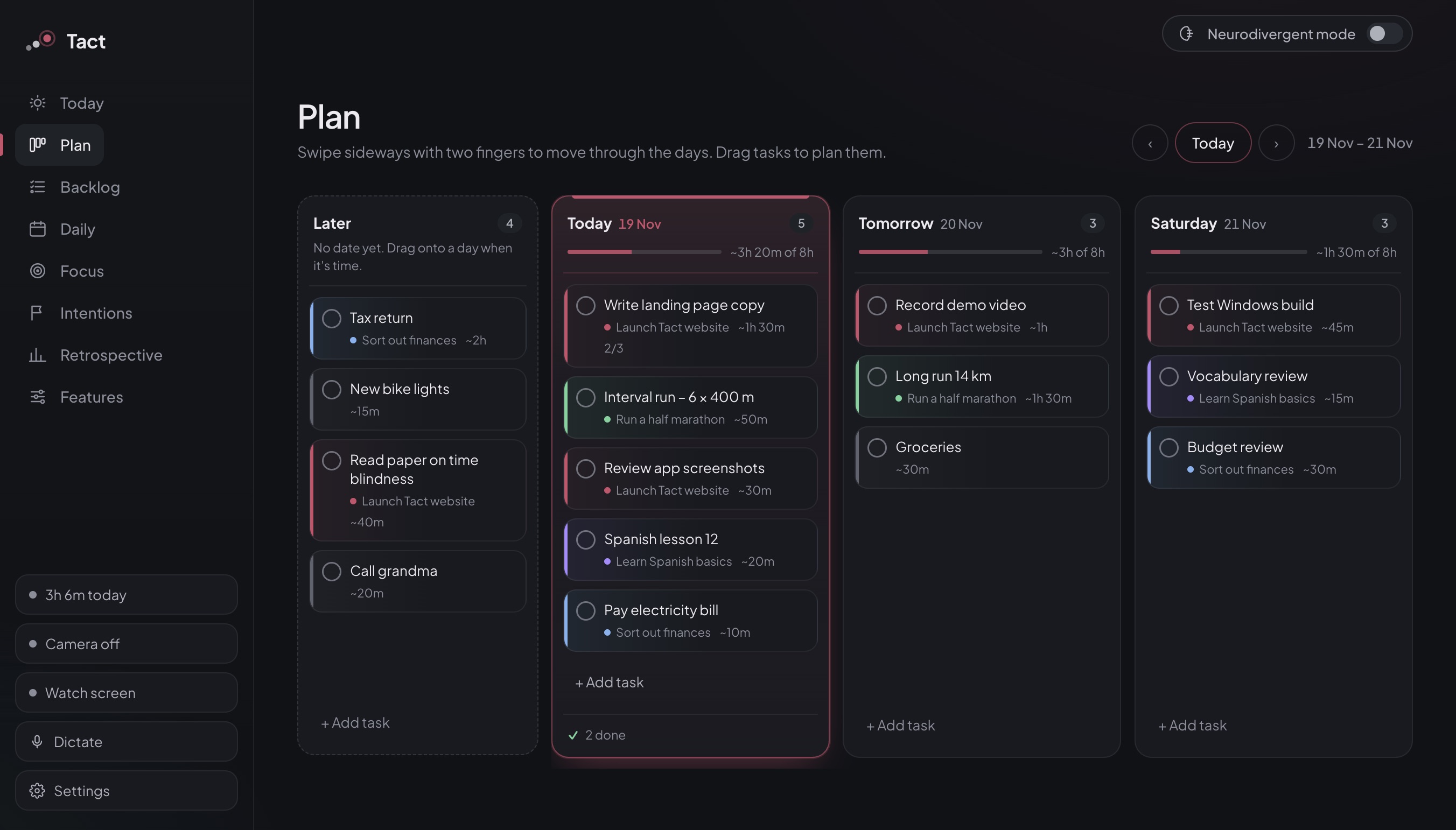
01 — Plan

See the week. Drag it into shape.

One continuous strip of days. Tasks without a date wait in “Later” until you drag them onto a day.

  • Load bar shows how full each day is
  • Swipe sideways with the trackpad
  • Backlog groups everything that is still open
Plan view
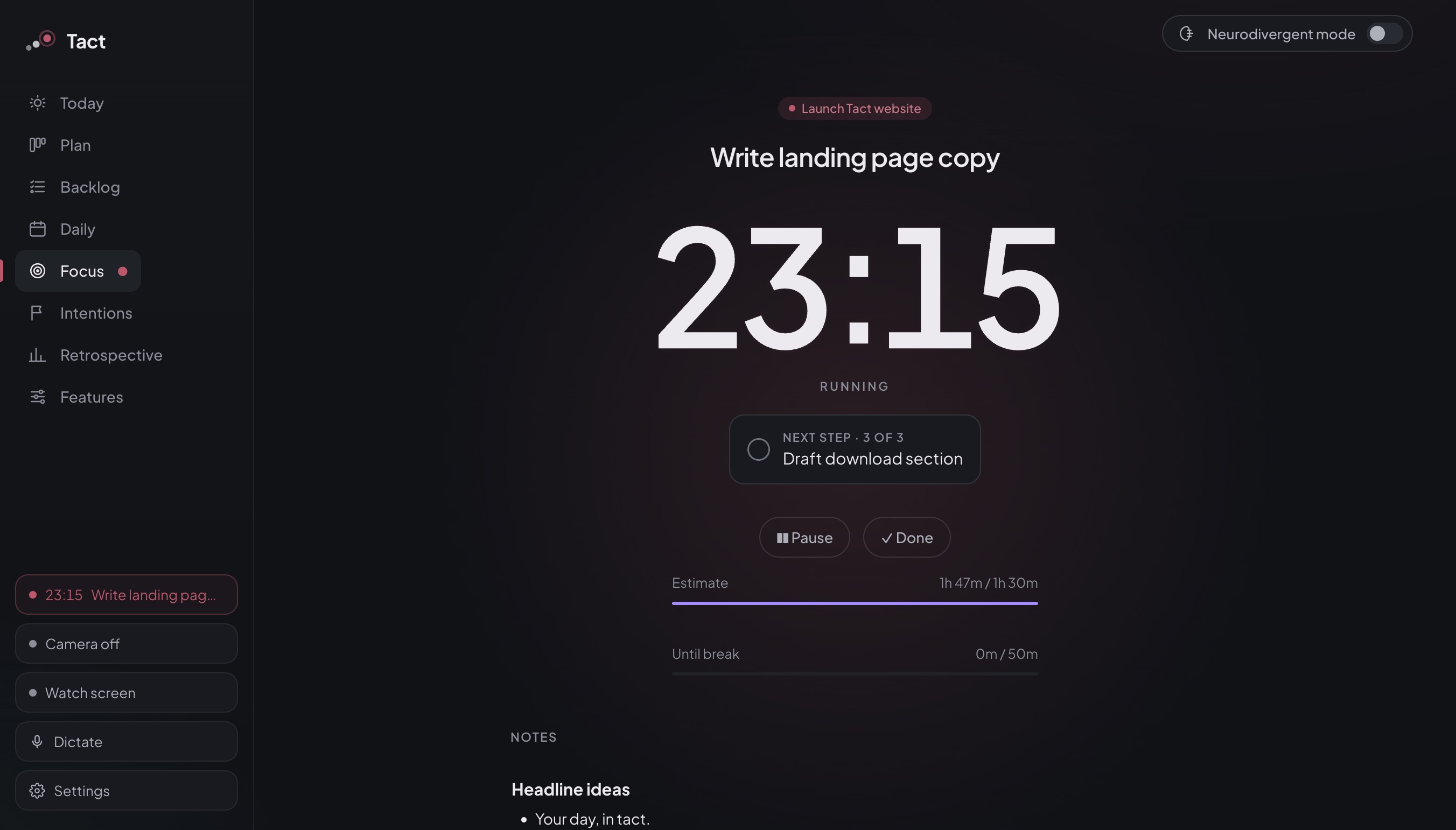
02 — Focus

One task. One timer.

Start a session and Tact shows only the next step, your notes and how long you planned for it.

  • Break reminder after 50 minutes, or Pomodoro
  • Rich notes and offline dictation
  • Locked breaks with a breathing circle
Focus view
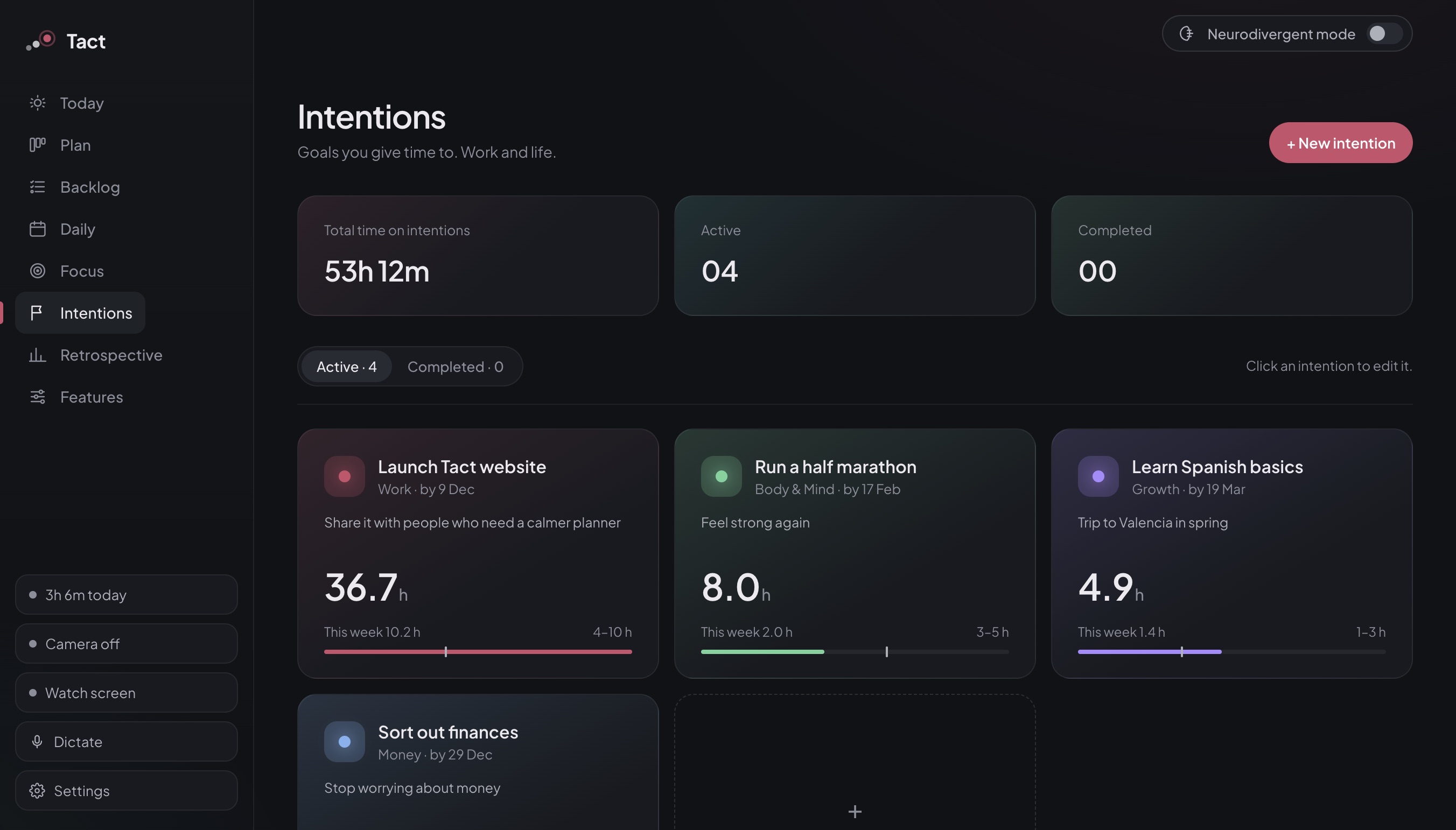
03 — Intentions

Give time to what you care about.

Bigger goals for work and life, each with a weekly time range. Tasks belong to an intention, so the hours add up on their own.

  • Areas: work, growth, body, family, fun, money
  • Weekly target per intention
  • Wheel of life and weekly check-in
Intentions view
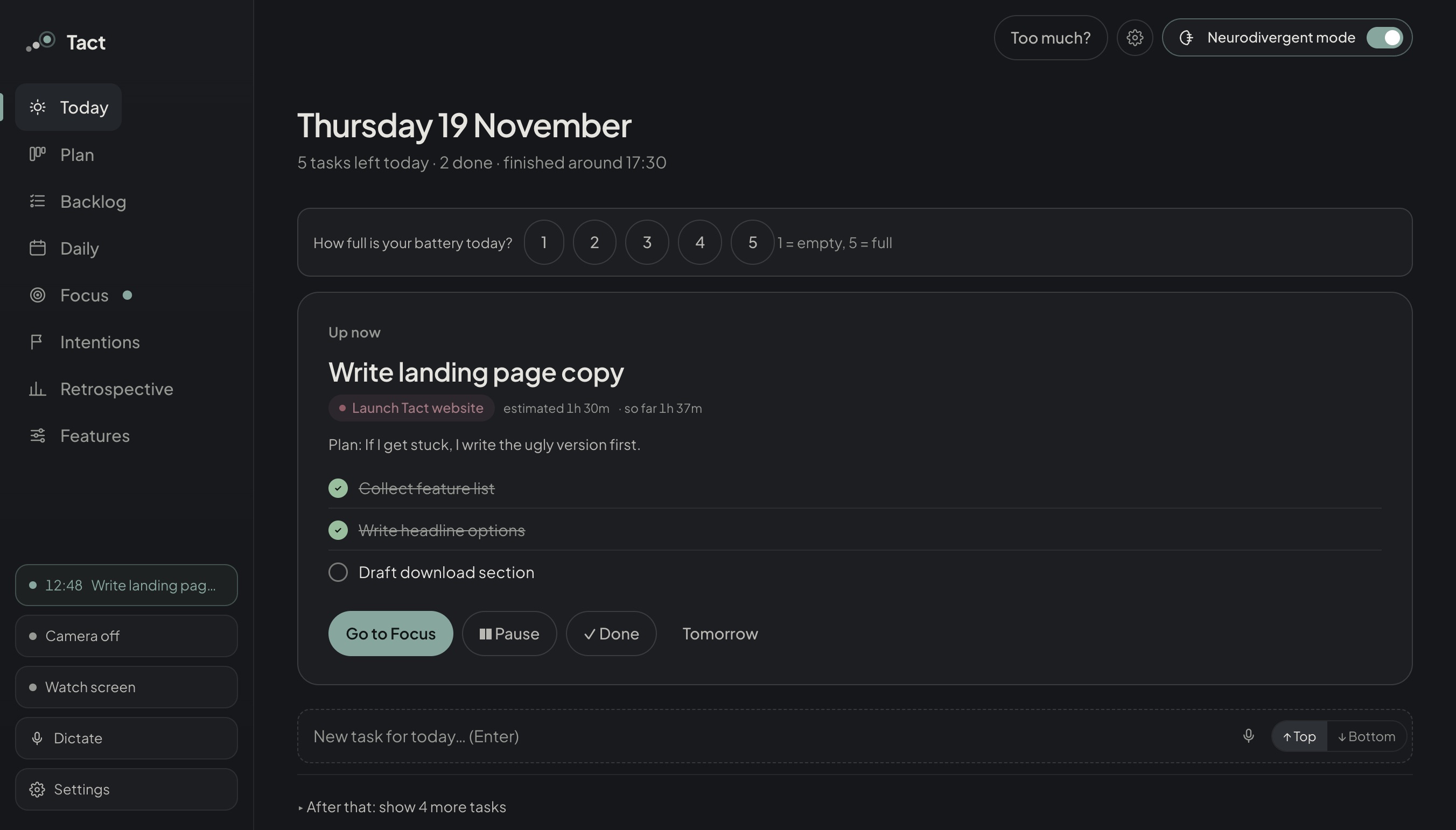
04 — Neurodivergent mode

Only what is next.

One switch turns Tact into a calmer tool: a single “Up now” card, small steps, an if-then plan and a battery check.

  • Warnings 10, 5 and 1 minute ahead
  • “Too much?” makes the day smaller
  • Calm colours, less motion, larger text
Neurodivergent mode
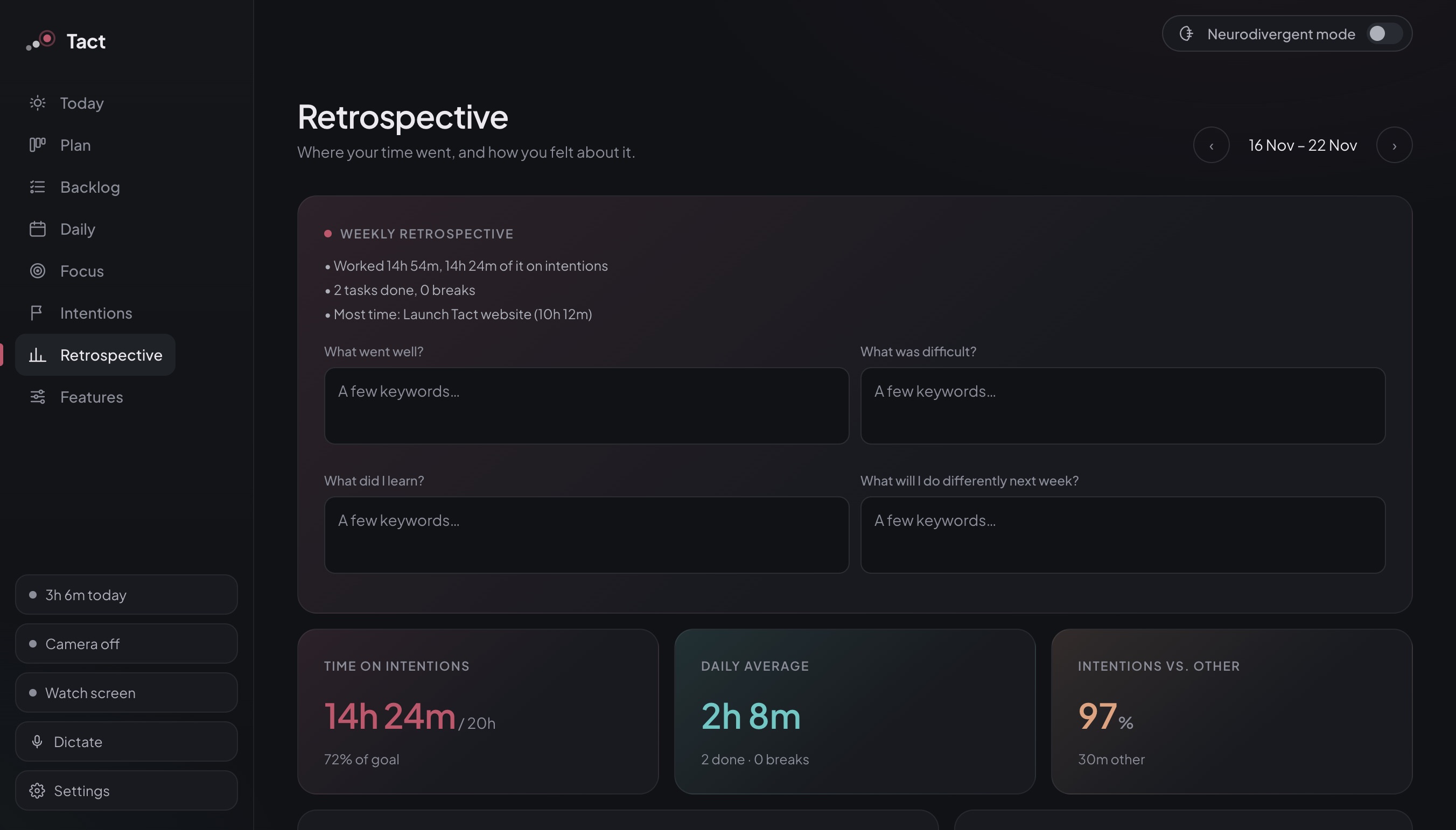
05 — Retrospective

Know where your week went.

Time on intentions, daily average and four short questions. Five minutes on Sunday, and next week starts clearer.

  • Tracked automatically from Focus
  • Intentions versus everything else
  • Your notes stay on your machine
Retrospective view
Plan view Focus view Intentions view Neurodivergent mode Retrospective view
Plan01 / 05

Every feature has a switch.

Turn on what helps you. Everything else stays off and uses no computing power.

Planning

Today & Plan

A short list for today and a strip of days for the rest of the week.

Focus

Timer & breaks

Rolling digits, break reminder after 50 minutes or classic Pomodoro.

Limits

Daily limit

Tact tells you when the day is full, before you overload it.

Camera · optional

Body coach

Drinking, posture, tired eyes, phone in hand. Detected locally, never recorded.

AI · optional

Screen check

Logs whether your screen matches the task. Light (~140 MB) or precise (~1.5 GB).

Writing

Notes & dictation

Headings, checklists, highlights. Whisper dictation offline, ⌘⇧D from anywhere.

Your tasks are nobody’s business.

Tact has no server. Tasks, notes, camera and screen analysis and the AI run entirely on your computer, and it works offline.

0accounts
0bytes to a cloud
100%local AI and camera
1file to install

Download Tact. It’s free.

One file. Open it and start. Nothing else to install.

Tact is not yet signed by Apple or Microsoft, so your system will warn you the first time you open it. The steps under each download show how to open it anyway.